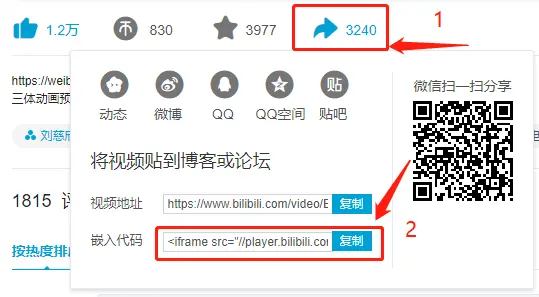
前言:除了部分主题原生标签,更多的是从Volantis移植过来的扩展插件,主要是根据Akilar 和小康 博客的教程所得,非常感谢
Tab(标签页)
1
2
3
4
5
{% tabs unique_name, [active_ index] %} <!-- tab [tab_caption] [@icon] --> Any content (support inline tags too). <!-- endtab --> {% endtabs %}
unique_name: 应具有唯一的id命名active_index: 预设打开的tab页(索引),留空(以[]包裹的参数都是可省略的,即留空)时为1,特别的,如果设为-1,则表示不展开任何标签页tab_caption: 标签页名称,默认为unique_name+当前标签页的index索引,可以用图标@icon代替命名,或兼有之
1
2
3
4
5
6
7
8
9
10
11
12
13
{% tabs test1 %} <!-- tab --> **This is Tab 1.** <!-- endtab --> <!-- tab --> **This is Tab 2.** <!-- endtab --> <!-- tab --> **This is Tab 3.** <!-- endtab --> {% endtabs %}
1
2
3
4
5
6
7
8
9
10
11
12
13
{% tabs test2, 3 %} <!-- tab --> **This is Tab 1.** <!-- endtab --> <!-- tab --> **This is Tab 2.** <!-- endtab --> <!-- tab --> **This is Tab 3.** <!-- endtab --> {% endtabs %}
1
2
3
4
5
6
7
8
9
10
11
12
13
{% tabs test3, -1 %} <!-- tab --> **This is Tab 1.** <!-- endtab --> <!-- tab --> **This is Tab 2.** <!-- endtab --> <!-- tab --> **This is Tab 3.** <!-- endtab --> {% endtabs %}
自定义tab名 + 只有icon + icon和tab名兼有
1
2
3
4
5
6
7
8
9
10
11
12
13
{% tabs test4 %} <!-- tab 第一个Tab --> **tab名字为第一个Tab** <!-- endtab --> <!-- tab @fab fa-apple-pay --> **只有图标 没有Tab名字** <!-- endtab --> <!-- tab 炸弹@fas fa-bomb --> **名字+icon** <!-- endtab --> {% endtabs %}
附:
AnimatedIcon(动画图标)
1 <i class ="icon animation" > </i >
icon: 图标(font-awesome)animation: 动画图标(有三种类型)
On DOM loadfaa-xxx animated添加到任意icon图标上,图标的动画效果将会无限循环下去,xxx代表不同的动画效果,总计有20种,示例:<i class="fa fa-wrench faa-wrench animated"></i>
On hoverfaa-xxx animated-hover添加到任意icon图标上,当鼠标悬停在图标上时,图标将会显示动画效果,鼠标移走停止
On parent element hover,示例:<i class="fa fa-wrench faa-wrench animated-hover"></i>faa-parent animated-hover添加到图标的父级元素上,并在图标本身上添加faa-xxx,当鼠标悬停在图标的父级元素上时,图标就能进入动画效果,鼠标移走停止,示例: 1 2 3 <a href ="#" class ="faa-parent animated-hover" > <i class ="fa fa-wrench faa-wrench" style ="font-size: 3em;" > </i > hover mouse here </a >
注:在上述基础上,还可以添加faa-fast和faa-slow属性控制动画的速度
查看全部动画效果
On DOM load
On hover
On parent hover
See more in https://github.com/l-lin/font-awesome-animation
这是一只会动的火箭
1 2 3 这是一只会动的火箭<i class ="fas fa-rocket faa-rising animated" > </i > <i class ="fas fa-compact-disc faa-spin animated faa-slow" > </i > <i class ="fas fa-compact-disc faa-spin animated faa-fast" > </i > <a href ="#" class ="faa-parent animated-hover" > <i class ="fas fa-hand-point-right faa-horizontal" > </i > </a >
1 <div class ="bike bikeAni" > </div >
Note(提示)
1 2 3 {% note [class] [no-icon] [style] %} Any content (support inline tags too). {% endnote %}
class: 提示note的类型有六种:default / primary / success / info / warning / danger,不同类型有不同的配色no-icon: 控制是否显示图标style: 控制提示的渲染风格,有四种:simple / modern / flat / disabled
不要在note标签中插入其他标签插件,否则会导致错误
1 2 3 {% note [color] [icon] [style] %} Any content (support inline tags too). {% endnote %}
color: 颜色有六种:blue / pink / red / purple / orange / greenicon: 图标只能是font-awesome图标,也可以配置为no-iconstyle: 同语法1 小康提供的另一种风格的note:
绿色
红色
黄色
灰色
蓝色
1 2 3 4 5 <p class ='div-border green' > 绿色</p > <p class ='div-border red' > 红色</p > <p class ='div-border yellow' > 黄色</p > <p class ='div-border grey' > 灰色</p > <p class ='div-border blue' > 蓝色</p >
试试不写颜色看看,另可以设置左右边框加粗,例如<p class='div-border green left right'>绿色</p>:
绿色
小康提供的行内小标签样式:红色小标签 绿色小标签 蓝色小标签 黄色小标签 灰色小标签
1 2 3 4 5 <span class ="inline-tag red" > 红色小标签</span > <span class ="inline-tag green" > 绿色小标签</span > <span class ="inline-tag blue" > 蓝色小标签</span > <span class ="inline-tag yellow" > 黄色小标签</span > <span class ="inline-tag grey" > 灰色小标签</span >
提示告示牌(嫖自麋鹿鲁哟 ):
1 2 3 4 5 6 <div style ="background:url(https://cdn.statically.io/gh/celestezj/ImageHosting/master/img/20210514165301.png);height:150px;background-size: auto 150px;background-repeat: no-repeat;background-position:center;margin-bottom:10px" > <p class ="notice_title" > <b > 温馨提示</b > <span > 本人的更新是极慢的</span > </p > </div >
新增鼠标悬停提示框(hint.css ):上方 a标签进行高亮)、下方 左侧 右侧 信息 错误 警告 成功 始终
1 2 3 4 5 6 7 8 9 10 <a href ="javascript:void(0)" > <span class ="hint hint--top" data-hint ="提示文字" > 上方</span > </a > <span class ="hint hint--bottom" data-hint ="提示文字" > {% emp 下方 %}</span > <span class ="hint hint--left" data-hint ="提示文字" > {% wavy 左侧 %}</span > <span class ="hint hint--right" data-hint ="提示文字" > {% u 右侧 %}</span > 除了上述位置选项,还有几种含义的提示(如警告、成功等): <span class ="hint hint--info" data-hint ="提示文字" > {% span blue,信息 %}</span > <span class ="hint hint--error" data-hint ="提示文字" > {% span red,错误 %}</span > <span class ="hint hint--warning" data-hint ="提示文字" > {% span yellow,警告 %}</span > <span class ="hint hint--success" data-hint ="提示文字" > {% span green,成功 %}</span > <span class ="hint hint--always" data-hint ="提示文字" > 始终</span >
再来一款:
欢迎关注笔吧评测室 奸商 ,看电脑评测,都可以关注我们。
1 2 3 4 {% snote 笔吧评测室 微信公众号:bibacps %} 欢迎关注<font color ="green" > 笔吧评测室</font > ,我们是笔记本电脑爱好者,买电脑,战{% u 奸商 %},看电脑评测,都可以关注我们。 {% endsnote %}
这是嫖的百度贴吧:
送别 [李叔同]一壶浊酒尽余欢,今宵别梦寒。
1 2 3 4 5 {% baidunote [0] %} <- 可选数值:0-9,默认为0 送别 [李叔同] 长亭外,古道边,芳草碧连天。晚风拂柳笛声残,夕阳山外山。天之涯,地之角,知交半零落。{% u 一壶浊酒尽余欢,今宵别梦寒。 %} 长亭外,古道边,芳草碧连天。问君此去几时来,来时莫徘徊。天之涯,地之角,知交半零落。人生难得是欢聚,惟有别离多。 {% endbaidunote %}
其他几款(不全)
商山早行 [温庭筠]鸡声茅店月,人迹板桥霜。
苏幕遮 [范仲淹]
天净沙·秋思 [马致远]
背景图片是由上中下三个子图共同构成的,电脑端看起来严丝合缝,但在手机端还是会显示子图间的空隙,暂时未能解决
下面这种一般可做小节标题:
1 {% ctitle 一、凡日月所照,江河所至,皆为我中华之领土 %}
语法1示例
simple 样式:
1 2 3 4 5 6 7 8 9 10 11 12 13 {% note simple %}默认 提示块标签{% endnote %} {% note default simple %}default 提示块标签{% endnote %} {% note primary simple %}primary 提示块标签{% endnote %} {% note success simple %}success 提示块标签{% endnote %} {% note info simple %}info 提示块标签{% endnote %} {% note warning simple %}warning 提示块标签{% endnote %} {% note danger simple %}danger 提示块标签{% endnote %}
modern 样式:
1 2 3 4 5 6 7 8 9 10 11 12 13 {% note modern %}默认 提示块标签{% endnote %} {% note default modern %}default 提示块标签{% endnote %} {% note primary modern %}primary 提示块标签{% endnote %} {% note success modern %}success 提示块标签{% endnote %} {% note info modern %}info 提示块标签{% endnote %} {% note warning modern %}warning 提示块标签{% endnote %} {% note danger modern %}danger 提示块标签{% endnote %}
flat 样式:
1 2 3 4 5 6 7 8 9 10 11 12 13 {% note flat %}默认 提示块标签{% endnote %} {% note default flat %}default 提示块标签{% endnote %} {% note primary flat %}primary 提示块标签{% endnote %} {% note success flat %}success 提示块标签{% endnote %} {% note info flat %}info 提示块标签{% endnote %} {% note warning flat %}warning 提示块标签{% endnote %} {% note danger flat %}danger 提示块标签{% endnote %}
disabled 样式:
1 2 3 4 5 6 7 8 9 10 11 12 13 {% note disabled %}默认 提示块标签{% endnote %} {% note default disabled %}default 提示块标签{% endnote %} {% note primary disabled %}primary 提示块标签{% endnote %} {% note success disabled %}success 提示块标签{% endnote %} {% note info disabled %}info 提示块标签{% endnote %} {% note warning disabled %}warning 提示块标签{% endnote %} {% note danger disabled %}danger 提示块标签{% endnote %}
no-icon 样式:
1 2 3 4 5 6 7 8 9 10 11 12 13 {% note no-icon %}默认 提示块标签{% endnote %} {% note default no-icon %}default 提示块标签{% endnote %} {% note primary no-icon %}primary 提示块标签{% endnote %} {% note success no-icon %}success 提示块标签{% endnote %} {% note info no-icon %}info 提示块标签{% endnote %} {% note warning no-icon %}warning 提示块标签{% endnote %} {% note danger no-icon %}danger 提示块标签{% endnote %}
语法2示例
simple 样式:
1 2 3 4 5 6 7 8 9 10 11 12 13 {% note 'fab fa-cc-visa' simple %}你是刷 Visa 还是 UnionPay{% endnote %} {% note blue 'fas fa-bullhorn' simple %}2021年快到了....{% endnote %} {% note pink 'fas fa-car-crash' simple %}小心开车 安全至上{% endnote %} {% note red 'fas fa-fan' simple%}这是三片呢?还是四片?{% endnote %} {% note orange 'fas fa-battery-half' simple %}你是刷 Visa 还是 UnionPay{% endnote %} {% note purple 'far fa-hand-scissors' simple %}剪刀石头布{% endnote %} {% note green 'fab fa-internet-explorer' simple %}前端最讨厌的浏览器{% endnote %}
modern 样式:
1 2 3 4 5 6 7 8 9 10 11 12 13 {% note 'fab fa-cc-visa' modern %}你是刷 Visa 还是 UnionPay{% endnote %} {% note blue 'fas fa-bullhorn' modern %}2021年快到了....{% endnote %} {% note pink 'fas fa-car-crash' modern %}小心开车 安全至上{% endnote %} {% note red 'fas fa-fan' modern%}这是三片呢?还是四片?{% endnote %} {% note orange 'fas fa-battery-half' modern %}你是刷 Visa 还是 UnionPay{% endnote %} {% note purple 'far fa-hand-scissors' modern %}剪刀石头布{% endnote %} {% note green 'fab fa-internet-explorer' modern %}前端最讨厌的浏览器{% endnote %}
flat 样式:
1
2
3
4
5
6
7
8
9
10
11
12
13
{% note 'fab fa-cc-visa' flat %}你是刷 Visa 还是 UnionPay{% endnote %} {% note blue 'fas fa-bullhorn' flat %}2021年快到了....{% endnote %} {% note pink 'fas fa-car-crash' flat %}小心开车 安全至上{% endnote %} {% note red 'fas fa-fan' flat%}这是三片呢?还是四片?{% endnote %} {% note orange 'fas fa-battery-half' flat %}你是刷 Visa 还是 UnionPay{% endnote %} {% note purple 'far fa-hand-scissors' flat %}剪刀石头布{% endnote %} {% note green 'fab fa-internet-explorer' flat %}前端最讨厌的浏览器{% endnote %}
disabled 样式:
1
2
3
4
5
6
7
8
9
10
11
12
13
{% note 'fab fa-cc-visa' disabled %}你是刷 Visa 还是 UnionPay{% endnote %} {% note blue 'fas fa-bullhorn' disabled %}2021年快到了....{% endnote %} {% note pink 'fas fa-car-crash' disabled %}小心开车 安全至上{% endnote %} {% note red 'fas fa-fan' disabled %}这是三片呢?还是四片?{% endnote %} {% note orange 'fas fa-battery-half' disabled %}你是刷 Visa 还是 UnionPay{% endnote %} {% note purple 'far fa-hand-scissors' disabled %}剪刀石头布{% endnote %} {% note green 'fab fa-internet-explorer' disabled %}前端最讨厌的浏览器{% endnote %}
no-icon 样式:
1
2
3
4
5
6
7
8
9
10
11
12
13
{% note no-icon %}你是刷 Visa 还是 UnionPay{% endnote %} {% note blue no-icon %}2021年快到了....{% endnote %} {% note pink no-icon %}小心开车 安全至上{% endnote %} {% note red no-icon %}这是三片呢?还是四片?{% endnote %} {% note orange no-icon %}你是刷 Visa 还是 UnionPay{% endnote %} {% note purple no-icon %}剪刀石头布{% endnote %} {% note green no-icon %}前端最讨厌的浏览器{% endnote %}
动画 样式(具体的动画样式参见AnimatedIcon):
1 2 3 4 5 6 {% note green 'fas fa-frog faa-bounce animated' flat %} 自定义图标,我是一只小青蛙🐸(flat渲染风格) {% endnote %} {% note orange 'fas fa-bell faa-tada animated' flat %} 自定义图标,铃儿响叮当🔔(flat渲染风格)
Gallery(图册)
1 2 3 {% galleryGroupGroup %} {% galleryGroup 'title' 'description' 'link' cover %} {% endgalleryGroupGroup %}
这是图册写法,title是大标题,description为图册描述,link为图册链接,cover为图册封面(一个图像链接)
1 2 3 {% gallery %} All images. {% endgallery %}
壁纸
收藏的一些壁纸
头像
收藏的一些头像
1 2 3 4 {% galleryGroupGroup %} {% galleryGroup '壁纸' '收藏的一些壁纸' '/gallery/wallpaper' https://cdn.jsdelivr.net/gh/celestezj/ImageHosting/img/20210323132648.png %} {% galleryGroup '头像' '收藏的一些头像' '/gallery/avatar' https://cdn.jsdelivr.net/gh/celestezj/ImageHosting/img/20210211171827.jpg %} {% galleryGroupGroup %}
1 2 3 4 5 6 {% gallery %}     {% endgallery %}
Tag-hide(内容隐藏)
1 {% hideInline content,[display],[bg],[color] %}
content: 被隐藏的普通文本内容display: 按钮显示的文字bg: 按钮的背景颜色color: 按钮文字的颜色
content和display中不能含有英文逗号,可用‚代替
1 2 3 {% hideBlock [display],[bg],[color] %} content {% endhideBlock %}
现在content可以隐藏更多内容,包括图片,代码块等等,其他参数同语法1,也都可选
display中不能含有英文逗号,可用‚代替
1 2 3 {% hideToggle [display],[bg],[color] %} content {% endhideToggle %}
如果内容太多,建议使用该语法,将内容全部放到缩放框中
display中不能含有英文逗号,可用‚代替
这是一个行内隐藏块: 点我 这里什么都没有
猜猜这里有什么?
一张图片!
再次隐藏
诗是我的寄托
作者:Click 杜·贝莱
现在我原谅那种甜蜜的狂热,
现在我原谅这愉快的劳作,
虽然诗是我青年时代的恶癖,
它曾是我的创伤,它将是我的阿希尔,
1 2 3 4 5 6 7 8 9 10 11 12 13 14 15 16 17 18 19 20 21 22 23 24 25 26 27 28 29 30 31 这是一个行内隐藏块:{% hideInline 这里什么都没有, 点我 %} {% hideBlock 猜猜这里有什么?,green %} 一张图片!  {% reshowHideBlock 再次隐藏, button button-pill button-tiny %} <!--这是可选的,{% reshowHideBlock [name], [button class] %}--> {% endhideBlock %} {% hideToggle 诗是我的寄托 %} 作者:{% hideInline 杜·贝莱 %} 现在我原谅那种甜蜜的狂热, 它耗尽我一生最美好的时光, 这没长的谬误结果是空虚一场, 除了抛掷光阴我毫无收获。 现在我原谅这愉快的劳作, 因为只有它抚慰我心中的创伤, 而且由于它,我一如既往, 不会在暴风雨中丧魂落魄。 虽然诗是我青年时代的恶癖, 但它也是我暮年的慰藉: 它曾是我的疯狂,它将是我的理智, 它曾是我的创伤,它将是我的阿希尔, 它曾是斨害我的毒液,但我的沉疴 只有这灵验的蝎子才能救治。 {% endhideToggle %}
Tag-hide中的content内容都不建议有h1-h6标题,因为Toc会把隐藏内容标题也显示出来,而当滚动屏幕时,如果隐藏内容没有显示出来,会导致Toc的滚动出现异常
Mermaid(绘图)
pie
title used language in project
"python" : 40.96
"html" : 50.05
"c++" : 9.01
1 2 3 {% mermaid %} 内容 {% endmermaid %}
See more in https://mermaid-js.github.io/mermaid/
mermaid标签不允许嵌套于一些具有隐藏属性的标签插件,例如: Tag-hide和Tabs,这会导致mermaid图示无法正常显示
若采用Gulp 压缩,需设置过滤规则禁止压缩当前页面,否则图表显示不了
1 2 3 4 5 6 7 {% mermaid %} pie title used language in project "python" : 40.96 "html" : 50.05 "c++" : 9.01 {% endmermaid %}
Image(图像)
1 {% image link, [width=px], [height=px], [alt=description], [bg=color] %}
link: 图片链接width: 宽度(单位为px)height: 高度(单位为px)alt: 图片描述bg: 占位颜色
1 {% image https://cdn.jsdelivr.net/gh/volantis-x/cdn-wallpaper-minimalist/2020/025.jpg, alt=每天下课回宿舍的路,没有什么故事。 %}
其实通用的markdown语法也能显示描述,都不用麻烦写image标签:
1 
1 {% image https://cdn.jsdelivr.net/gh/volantis-x/cdn-wallpaper-minimalist/2020/025.jpg, width=400px %}
1 {% image https://cdn.jsdelivr.net/gh/volantis-x/cdn-wallpaper-minimalist/2020/025.jpg, width=400px, alt=每天下课回宿舍的路,没有什么故事。 %}
1 {% image https://cdn.jsdelivr.net/gh/volantis-x/cdn-wallpaper-minimalist/2020/025.jpg, width=400px, bg=#1D0C04, alt=优化不同宽度浏览的观感 %}
如果不想点击图像进入预览界面,裹上一个<a>标签:
1 <a onclick ="javascript:void(0)" > <img src ="https://cdn.jsdelivr.net/gh/celestezj/ImageHosting/img/20210407182620.gif" style ="height:250px" > </a >
图片播放器
页面内可以插入多个图片播放器,只需在最后添加一个js启动脚本即可,语法:
1 2 3 4 5 6 {% imageplayer id [border-color] %} <img src ="..." > ... {% endimageplayer %} ... {% startimageplayer %}
示例:
1 2 3 4 5 6 7 8 9 10 11 12 {% imageplayer image-player-1 green %} <img src ='https://i.loli.net/2021/08/15/q9vt1J4YTOVhbQx.png' /> ... ),markdown渲染引擎会引入额外的段落标签<p > <img src ='https://i.loli.net/2021/08/15/PVxjdaclnv2sAfO.png' /> {% endimageplayer %} {% imageplayer image-player-2 %} <img src ="https://i.loli.net/2021/08/15/XJPbWidCRncUhGH.png" > <img src ="https://i.loli.net/2021/08/15/4WjPwkEeYLoHgCM.png" > <img src ="https://i.loli.net/2021/08/15/HXONbokw5ZIcm6n.png" > {% endimageplayer %} {% startimageplayer %}
InlineImage(行内图像)
1 {% inlineimage link, [height=px] %}
这是
这又是
多读书
1 2 3 4 5 这是 {% inlineimage https://cdn.jsdelivr.net/gh/volantis-x/cdn-emoji/aru-l/0000.gif %} 一段话。 这又是 {% inlineimage https://cdn.jsdelivr.net/gh/volantis-x/cdn-emoji/aru-l/5150.gif, height=40px %} 一段话。 多读书{% inlineimage https://cdn.jsdelivr.net/gh/celestezj/ImageHosting/img/20210315165832.gif, height=35px %},不读书,何以立。
Text(文本)
1 2 3 4 5 6 {% u content %} {% emp content %} {% wavy content %} {% del content %} {% kbd content %} {% psw content %}
其中content为文本内容
带 下划线 的文本
带 着重号 的文本
带 波浪线 的文本
带 删除线 的文本
键盘样式的文本 command + D
密码样式的文本:这里没有验证码
1 2 3 4 5 6 1. 带 {% u 下划线 %} 的文本2. 带 {% emp 着重号 %} 的文本3. 带 {% wavy 波浪线 %} 的文本4. 带 {% del 删除线 %} 的文本5. 键盘样式的文本 {% kbd command %} + {% kbd D %}6. 密码样式的文本:{% psw 这里没有验证码 %}
⭐补充(高亮文本,直接通过<font>标签灵活设置字体颜色,或者使用span插件,但是span插件不能设置文本底色,当然有兴趣可以修改插件源码进行扩展): 高亮 、 高亮
1 <font color ="red" > 高亮</font > 、<font style ="background:blue;color:red" > 高亮</font >
一款新的文本或标签样式(嫖自hassan ,这位大佬的博客是我见过最精美的,羡慕):超链接 ,hassan’s blog
1 <span class ='hassan' > 超链接</span > ,<a class ='hassan' href ="https://hassanwong.top/" > hassan's blog</a >
彩虹变换字体(嫖自黑石 ):一个专业折腾Hexo的博客
1 <rainbow-text > 一个专业折腾Hexo的博客</rainbow-text >
抖音字效(嫖自NyKee ):抖音
1 <span class ="shake-shake" style ="font-size:25px" > 抖音</span >
代码(差异)高亮:
1 2 3 4 others... - 删除内容 + 新增内容 others...
文字上标,可以安装hexo-ruby-character 使用,但在Windows平台上安装结巴分词依赖的时候会出错,其实也没必要安装:Base ( top ) 、佐天泪子 ( xiān qún kuáng mó ) 、超電磁砲 ( レールガン )
1 <ruby > Base<rp > (</rp > <rt > top</rt > <rp > ) </rp > </ruby > 、<ruby > 佐天泪子<rp > (</rp > <rt > xiān qún kuáng mó</rt > <rp > ) </rp > </ruby > 、<ruby > 超電磁砲<rp > (</rp > <rt > レールガン</rt > <rp > ) </rp > </ruby >
注:你可以在拼音转换 网站获取汉字拼音
打字机特效(来自EduMedia_熠辉 ):
1 2 3 4 {% typed print_demo, true, 10 1000 %} 纠正一个<font color ='red' > 错误</font > 的方法有很多 而<font color ='blue' > 解决</font > 一个错误的终极方法,就是不给它发生的机会。 {% endtyped %}
爽歪歪特效:爽歪歪
1 <span class ="shuangwaiwaiani" > 爽歪歪</span >
Span(行内文本)
1 {% span [color] [layout] [size], content %}
color: 可选值:red,yellow,green,cyan,blue,graysize: 可选值:small, h4, h3, h2, h1, large, huge, ultralayout: 对齐方向,可选值: left, center, rightcontent: 文本内容
彩色文字红色 、黄色 、绿色 、青色 、蓝色 、灰色 。
超大号文字Volantis A Wonderful Theme for Hexo
1 2 3 4 5 6 - 彩色文字 在一段话中方便插入各种颜色的标签,包括:{% span red, 红色 %}、{% span yellow, 黄色 %}、{% span green, 绿色 %}、{% span cyan, 青色 %}、{% span blue, 蓝色 %}、{% span gray, 灰色 %}。 - 超大号文字 文档「开始」页面中的标题部分就是超大号文字。 {% span center logo large, Volantis %} {% span center small, A Wonderful Theme for Hexo %}
嫖自QinXS 的一款span样式:🎉友链
1 <span class ="dytitleffect" > 🎉友链</span >
一些英文字体 :
Muggledy ,Muggledy ,Muggledy ,Muggledy
1 2 3 4 5 6 7 8 9 10 11 12 13 14 15 16 17 18 19 20 21 22 23 24 25 26 27 28 29 30 31 32 33 34 35 <style> @font-face { font-family: 'venture3d' ; src: url('https://cdn.jsdelivr.net/gh/celestezj/ImageHosting/font/en/3Dventure-1.ttf' ); } span.venture3d { font-family: 'venture3d' ; font-size: 30px; } @font-face { font-family: 'pixeled' ; src: url('https://cdn.jsdelivr.net/gh/celestezj/ImageHosting/font/en/Pixeled-1.ttf' ); } span.pixeled { font-family: 'pixeled' ; font-size: 30px; } @font-face { font-family: 'paskowy' ; src: url('https://cdn.jsdelivr.net/gh/celestezj/ImageHosting/font/en/Paskowy-1.ttf' ); } span.paskowy { font-family: 'paskowy' ; font-size: 30px; } @font-face { font-family: 'ladyRadical' ; src: url('https://cdn.jsdelivr.net/gh/celestezj/ImageHosting/font/en/Lady-Radical-1.ttf' ); } span.ladyRadical { font-family: 'ladyRadical' ; font-size: 30px; } </style> <span class ="venture3d" >Muggledy</span>,<span class ="pixeled" >Muggledy</span>,<span class ="paskowy" >Muggledy</span>,<span class ="ladyRadical" >Muggledy</span>
P(段落文本)
1 {% p [color] [layout] [size], content %}
参数同Span标签
彩色文字红色段落
、黄色段落
、绿色段落
、青色段落
、蓝色段落
、灰色段落
。
超大号文字
Volantis
A Wonderful Theme for Hexo
1 2 3 4 5 6 - 彩色文字在一段话中方便插入各种颜色的标签,包括:{% p red, 红色 %}、{% p yellow, 黄色段落 %}、{% p green, 绿色段落 %}、{% p cyan, 青色段落 %}、{% p blue, 蓝色段落 %}、{% p gray, 灰色段落 %}。 - 超大号文字文档「开始」页面中的标题部分就是超大号文字。 {% p center logo large, Volantis %} {% p center small, A Wonderful Theme for Hexo %}
Tip(上标提示)
1 {% tip style [animation] %}content{% endtip %}
style: 既可以是一些固定类型的提示,可选值:success,error,warning,bolt,ban,home,sync,cogs,key,bell,也可以是font-awesome图标,自定义animation: 动画效果,参见AnimatedIcon
1 2 3 4 5 6 7 8 9 10 11 12 {% tip %}默认情况{% endtip %} {% tip success %}success{% endtip %} {% tip error %}error{% endtip %} {% tip warning %}warning{% endtip %} {% tip bolt %}bolt{% endtip %} {% tip ban %}ban{% endtip %} {% tip home %}home{% endtip %} {% tip sync %}sync{% endtip %} {% tip cogs %}cogs{% endtip %} {% tip key %}key{% endtip %} {% tip bell %}bell{% endtip %} {% tip fa-atom %}自定义font awesome图标{% endtip %}
1. On DOM load(当页面加载时显示动画)
1 2 {% tip warning faa-horizontal animated %}warning{% endtip %} {% tip ban faa-flash animated %}ban{% endtip %}
2. 调整动画速度
1 2 {% tip warning faa-horizontal animated faa-fast %}warning{% endtip %} {% tip ban faa-flash animated faa-slow %}ban{% endtip %}
3. On hover(当鼠标悬停时显示动画)
1 2 {% tip warning faa-horizontal animated-hover %}warning{% endtip %} {% tip ban faa-flash animated-hover %}ban{% endtip %}
4. On parent hover(当鼠标悬停在父级元素时显示动画)
1 2 {% tip warning faa-parent animated-hover %}<p class ="faa-horizontal" > </p > {% tip ban faa-parent animated-hover %}<p class ="faa-flash" > </p >
注意此处解析存在问题,列表项未正确解析博客 ,似乎没有该问题😓,花了一晚上也没找出原因,真的快疯了),我能想到的解决办法是,直接写HTML标签~
HTML语法(无序列表 ):
1 2 3 4 5 6 <ul > <li > 第一项标题<br > 第一项内容</li > <li > 第二项标题<br > 第二项内容</li > </ul >
示例:
On DOM load(当页面加载时显示动画)
调整动画速度
1 2 3 4 5 6 7 8 9 10 <ul > <li > <br > {% tip warning faa-horizontal animated %}warning{% endtip %} {% tip ban faa-flash animated %}ban{% endtip %} </li > <li > <br > {% tip warning faa-horizontal animated faa-fast %}warning{% endtip %} {% tip ban faa-flash animated faa-slow %}ban{% endtip %} </li > </ul >
HTML语法(
有序列表 ):
1 2 3 4 5 6 <ol > <li > 第一项标题<br > 第一项内容</li > <li > 第二项标题<br > 第二项内容</li > </ol >
示例:
On hover(当鼠标悬停时显示动画)
On parent hover(当鼠标悬停在父级元素时显示动画)
1 2 3 4 5 6 7 8 9 10 <ol > <li > <br > {% tip warning faa-horizontal animated-hover %}warning{% endtip %} {% tip ban faa-flash animated-hover %}ban{% endtip %} </li > <li > <br > {% tip warning faa-parent animated-hover %}<p class ="faa-horizontal" > </p > {% tip ban faa-parent animated-hover %}<p class ="faa-flash" > </p > </li > </ol >
Checkbox(复选框)
1 {% checkbox [style] [color] [status], text %}
style: 样式,可取值:plus / minus / timescolor: 颜色,可取值:red / yellow / green / cyan / bluestatus: 是否选中,取值checked表示选中text: 文本,支持简单的markdown
1 2 3 4 5 6 7 8 9 10 {% checkbox 纯文本测试 %} {% checkbox checked, 支持简单的 [markdown ](https://guides.github.com/features/mastering-markdown/ ) 语法 %} {% checkbox red, 支持自定义颜色 %} {% checkbox green checked, 绿色 + 默认选中 %} {% checkbox yellow checked, 黄色 + 默认选中 %} {% checkbox cyan checked, 青色 + 默认选中 %} {% checkbox blue checked, 蓝色 + 默认选中 %} {% checkbox plus green checked, 增加 %} {% checkbox minus yellow checked, 减少 %} {% checkbox times red checked, 叉 %}
Radio(单选框)
1 {% radio [color] [status], text %}
参数同CheckBox
1 2 3 4 5 6 7 {% radio 纯文本测试 %} {% radio checked, 支持简单的 [markdown ](https://guides.github.com/features/mastering-markdown/ ) 语法 %} {% radio red, 支持自定义颜色 %} {% radio green, 绿色 %} {% radio yellow, 黄色 %} {% radio cyan, 青色 %} {% radio blue, 蓝色 %}
Timeline(时间轴)
1 2 3 4 5 6 7 8 {% timeline title %} {% timenode time subtitle %} Content. {% endtimenode %} {% timenode time subtitle %} Content. {% endtimenode %} {% endtimeline %}
1 2 3 4 5 6 7 8 9 10 11 12 13 14 15 16 17 18 19 20 21 22 23 24 25 26 {% timeline 碎碎念 %} {% timenode 2020-08-06 [连接测试 ](https://xiaokang.me ) %} 今天是2020-08-06,我啥都没干 {% endtimenode %} {% timenode 2020-08-05 [连接测试 ](https://xiaokang.me ) %} 今天是2020-08-05 {% tip success %}success{% endtip %} {% endtimenode %} {% timenode 2020-08-03 [连接测试 ](https://xiaokang.me ) %} {% hideToggle 魔兽争霸 冰封王座 %} 我是暗夜精灵。兽人永不为奴 {% endhideToggle %} {% endtimenode %} {% endtimeline %}
新款时间线(嫖自枋柚梓的猫会发光 ):
博客大事记(建站史) 2021/07/11 修复了加密插件引起的bug,新增了live2d、随机文章页面、bangumis页面
2021/04/14 绑定了域名,添加了文章归档、标签、分类统计图表
2021/03/25 在原主题基础上引入了部分volantis标签插件,增加了Gitcalendar、气泡特效等
1 2 3 4 5 6 7 8 9 10 11 {% CommonTimeline 博客大事记(建站史) %} {% CommonTimenode %} 2021/07/11 修复了加密插件引起的bug,新增了live2d、随机文章页面、bangumis页面 {% endCommonTimenode %} {% CommonTimenode fas fa-gift %} 2021/04/14 绑定了域名,添加了文章归档、标签、分类统计图表 {% endCommonTimenode %} {% CommonTimenode fas fa-fan faa-spin animated %} 2021/03/25 在原主题基础上引入了部分volantis标签插件,增加了Gitcalendar、气泡特效等 {% endCommonTimenode %} {% endCommonTimeline %}
Link(链接)
1 {% link title, link, [image], [target] %}
title: 连接名称link: 链接image: 显示的图片target: 默认_blank,可以自行设置为_self等(同<a>标签属性)
1 2 3 {% link Muggledy's Blog, https://muggledy.top, https://cdn.jsdelivr.net/gh/celestezj/ImageHosting@v0.1/img/20210202152223.jpg %} {% link 小康博客, http://www.antmoe.com/, https://cdn.jsdelivr.net/gh/sviptzk/HexoStaticFile@latest/avatar.jpg %} {% link Font-Awesome图标, https://getkit.cn/resources/font-awesome/, , self %}
1 {% btn url,text,[icon],[color] [style] [layout] [position] [size] %}
url: 链接text: 按钮文字icon: 图标(font-awesome)color: 当style为默认值时,控制按钮背景顔色,当style取值outline时,控制按钮字体和边框顔色。可取值:default/blue/pink/red/purple/orange/greenstyle: 按钮样式,默认留空时为实心。可取值为outline,表示不填充按钮layout: 按钮布局,默认为line,行内元素。可取值为block,表示块级元素position: 按钮位置,前提是layout设置为block才会起效,默认留空时为左边。还可取值:center/rightsize: 按钮大小。可取值larger,大按钮 1 2 3 {% btns [style] [layout] %} {% cell title, link, img %} {% endbtns %}
style: 样式,默认留空时为方形(尖角)。可取值:rounded/circletitle: 标题link: 按钮链接layout: 布局
可取值
释义
wide
宽一点的按钮
fill
填充整行
center
按钮居中
around
居中分散
grid2
等宽最多2列
grid3
等宽最多3列
grid4
等宽最多4列
grid5
等宽最多5列(如果刚好5个按钮,相当于填充整行,不足5个,则居左排列,上同)
img: 除了图像,也可以是图标(font-awesome)
由于和原生主题样式存在一些冲突,该富文本按钮可能显示不正确,请加上dy属性,具体见示例
这是我的旧站:
Celestezj Celestezj
1 2 3 4 5 6 7 8 9 10 这是我的旧站: {% btn 'https://celestezj.github.io/',Celestezj,far fa-hand-point-right faa-horizontal animated,purple %} {% btn 'https://celestezj.github.io/',Celestezj,far fa-hand-point-right,outline block center larger %} <!-- 虽然button可以很方便控制左中右,我还是给出另一种实现方法,居中显示,在edge中可以看出两者优劣 --> <div style ="text-align:center;" > <span style ="float:right;" > </span > <span style ="float:left;" > </span > </div > <div style ="text-align:center;" > </div >
按钮的layout属性在edge浏览器上不适用,不建议使用,上述示例中我已经给出了一个总是可以正常工作的写法
如果需要显示类似「团队成员」之类的一组含有头像的链接:1 2 3 4 5 6 7 {% btns circle grid5 dy %} {% cell xaoxuu, https://xaoxuu.com, https://cdn.statically.io/gh/xaoxuu/cdn-assets/master/avatar/avatar.png %} {% cell xaoxuu, https://xaoxuu.com, https://cdn.statically.io/gh/xaoxuu/cdn-assets/master/avatar/avatar.png %} {% cell xaoxuu, https://xaoxuu.com, https://cdn.statically.io/gh/xaoxuu/cdn-assets/master/avatar/avatar.png %} {% cell xaoxuu, https://xaoxuu.com, https://cdn.statically.io/gh/xaoxuu/cdn-assets/master/avatar/avatar.png %} {% cell xaoxuu, https://xaoxuu.com, https://cdn.statically.io/gh/xaoxuu/cdn-assets/master/avatar/avatar.png %} {% endbtns %}
或者含有图标的按钮:1 2 3 4 {% btns rounded grid5 dy %} {% cell 下载源码, /, fas fa-download %} {% cell 查看文档, /, fas fa-book-open %} {% endbtns %}
圆形图标 + 标题 + 描述 + 图片 + 网格 5 列 + 居中布局:1 2 3 4 5 6 7 8 9 10 11 12 13 14 {% btns circle center grid5 %} <a href ='https://apps.apple.com/cn/app/heart-mate-pro-hrm-utility/id1463348922?ls=1' > <i class ='fab fa-apple' > </i > <b > </b > {% p red, 专业版 %} <img src ='https://cdn.jsdelivr.net/gh/xaoxuu/cdn-assets/qrcode/heartmate_pro.png' > </a > <a href ='https://apps.apple.com/cn/app/heart-mate-lite-hrm-utility/id1475747930?ls=1' > <i class ='fab fa-apple' > </i > <b > </b > {% p green, 免费版 %} <img src ='https://cdn.jsdelivr.net/gh/xaoxuu/cdn-assets/qrcode/heartmate_lite.png' > </a > {% endbtns %}
1 2 3 <button class ="racns-btn racns-m-b-xs racns-btn-success racns-btn-addon" onclick ="window.open('https://racns.com/374.html','_blank')" > <i class ="fas fa-rocket" > </i > 成功按钮</button > <button class ="racns-btn racns-m-b-xs racns-btn-primary racns-btn-addon" onclick ="window.open('https://racns.com/374.html','_blank')" > <i class ="fas fa-magic" > </i > 普通按钮</button > <button class ="racns-btn racns-m-b-xs racns-btn-black racns-btn-addon" onclick ="window.open('https://racns.com/374.html','_blank')" > <i class ="fas fa-download" > </i > 下载按钮</button > <button class ="racns-btn racns-m-b-xs racns-btn-info racns-btn-addon" onclick ="window.open('https://racns.com/374.html','_blank')" > <i class ="fas fa-info-circle" > </i > 提示按钮</button > <button class ="racns-btn racns-m-b-xs racns-btn-warning racns-btn-addon" onclick ="window.open('https://racns.com/374.html','_blank')" > <i class ="fas fa-exclamation-triangle" > </i > 警告按钮</button > <button class ="racns-btn racns-m-b-xs racns-btn-danger racns-btn-addon" onclick ="window.open('https://racns.com/374.html','_blank')" > <i class ="fas fa-bomb" > </i > 危险按钮</button > 新写法(提示按钮是默认样式): {% rbtns 成功按钮, , success, fa-rocket %} {% rbtns 普通按钮, https://racns.com/374.html, primary, fa-magic %} {% rbtns 下载按钮, https://racns.com/374.html, black, fa-download %} {% rbtns 提示按钮, https://racns.com/374.html %} {% rbtns 警告按钮, https://racns.com/374.html, warning, fa-exclamation-triangle %} {% rbtns 危险按钮, https://racns.com/374.html, danger, fa-bomb %}
小康博客提供了一些其他样式的按钮,这里直接照抄一些示例
Go
Go
Go
Go
Go
Go
Go
Go
Go
Go
Go
Go
Go
Go
Go
1 2 3 4 5 6 7 8 9 10 11 12 13 14 15 16 17 18 19 20 21 22 23 24 25 26 27 28 29 30 31 32 33 34 35 36 37 38 39 40 41 42 43 44 45 46 47 48 49 50 51 52 53 54 55 56 57 58 59 60 61 62 63 64 65 66 67 68 69 70 71 72 73 74 75 76 77 78 79 80 81 82 83 84 85 86 87 88 89 90 91 92 93 94 95 96 97 98 99 100 101 <a style ="color:#666" href ="#" class ="button button-tiny" > </a > <a style ="color:#666" href ="#" class ="button button-rounded button-tiny" > </a > <a style ="color:#666" href ="#" class ="button button-pill button-tiny" > </a > <a style ="color: #FFF;" href ="#" class ="button button-primary button-small" > </a > <a style ="color: #FFF;" href ="#" class ="button button-primary button-rounded button-small" > </a > <a style ="color: #FFF;" href ="#" class ="button button-primary button-pill button-small" > </a > <a style ="color: #FFF;" href ="#" class ="button button-highlight button-large" > </a > <a style ="color: #FFF;" href ="#" class ="button button-highlight button-rounded button-large" > </a > <a style ="color: #FFF;" href ="#" class ="button button-highlight button-pill button-large" > </a > <a style ="color: #FFF;" href ="#" class ="button button-caution button-jumbo" > </a > <a style ="color: #FFF;" href ="#" class ="button button-caution button-rounded button-jumbo" > </a > <a style ="color: #FFF;" href ="#" class ="button button-caution button-pill button-jumbo" > </a > <a style ="color: #FFF;" href ="#" class ="button button-royal button-giant" > </a > <a style ="color: #FFF;" href ="#" class ="button button-royal button-rounded button-giant" > </a > <a style ="color: #FFF;" href ="#" class ="button button-royal button-pill button-giant" > </a > <button class ="button button-square button-tiny" > <i class ="fa fa-plus" > </i > </button > <button class ="button button-box button-tiny" > <i class ="fa fa-plus" > </i > </button > <button class ="button button-circle button-tiny" > <i class ="fa fa-plus" > </i > </button > <button class ="button button-primary button-square button-small" > <i class ="fa fa-plus" > </i > </button > <button class ="button button-primary button-box button-small" > <i class ="fa fa-plus" > </i > </button > <button class ="button button-primary button-circle button-small" > <i class ="fa fa-plus" > </i > </button > <button class ="button button-action button-square" > <i class ="fa fa-plus" > </i > </button > <button class ="button button-action button-box" > <i class ="fa fa-plus" > </i > </button > <button class ="button button-action button-circle" > <i class ="fa fa-plus" > </i > </button > <button class ="button button-highlight button-square button-large" > <i class ="fa fa-plus" > </i > </button > <button class ="button button-highlight button-box button-large" > <i class ="fa fa-plus" > </i > </button > <button class ="button button-highlight button-circle button-large" > <i class ="fa fa-plus" > </i > </button > <button class ="button button-caution button-square button-jumbo" > <i class ="fa fa-plus" > </i > </button > <button class ="button button-caution button-box button-jumbo" > <i class ="fa fa-plus" > </i > </button > <button class ="button button-caution button-circle button-jumbo" > <i class ="fa fa-plus" > </i > </button > <button class ="button button-royal button-square button-giant" > <i class ="fa fa-plus" > </i > </button > <button class ="button button-royal button-box button-giant" > <i class ="fa fa-plus" > </i > </button > <button class ="button button-royal button-circle button-giant" > <i class ="fa fa-plus" > </i > </button >
Check out the new site!
Visit Us!
Say Hi!
1 2 3 4 5 6 7 8 9 10 11 12 13 14 15 <button class ="button button-3d button-box button-jumbo" > <i class ="fa fa-thumbs-up" > </i > </button > <a style ="color: #FFF;" href ="#" class ="button button-3d button-primary button-rounded" > </a > <a style ="color: #FFF;" href ="#" class ="button button-3d button-action button-pill" > </a > <button class ="button button-3d button-action button-circle button-jumbo" > <i class ="fa fa-thumbs-up" > </i > </button > <a style ="color: #FFF;" href ="#" class ="button button-3d button-caution" > <i class ="fa fa-camera" > </i > </a > <a style ="color: #FFF;" href ="#" class ="button button-3d button-royal" > </a >
Visit Us!
Say Hi!
Say Hi!
1 2 3 4 5 6 7 8 9 10 11 <button class ="button button-raised button-action button-circle button-jumbo" > <i class ="fa fa-thumbs-up" > </i > </button > <a style ="color: #FFF;" href ="#" class ="button button-raised button-primary button-pill" > </a > <a style ="color: #FFF;" href ="#" class ="button button-raised button-caution" > <i class ="fa fa-camera" > </i > </a > <a style ="color: #FFF;" href ="#" class ="button button-raised button-royal" > </a > <a style ="color: #FFF;" href ="#" class ="button button-raised button-pill button-inverse" > </a >
Go
Go
Go
Go
Go
1 2 3 4 5 6 7 8 9 10 11 12 13 <a style ="color: #FFF;" href ="#" class ="button button-glow button-rounded button-raised button-primary" > </a > <a style ="color: #1B9AF7;" href ="#" class ="button button-glow button-border button-rounded button-primary" > </a > <button class ="button button-glow button-circle button-action button-jumbo" > <i class ="fa fa-thumbs-up" > </i > </button > <a style ="color: #FFF;" href ="#" class ="button button-glow button-rounded button-highlight" > </a > <a style ="color: #FFF;" href ="#" class ="button button-glow button-rounded button-caution" > </a > <a style ="color: #FFF;" href ="#" class ="button button-glow button-rounded button-royal" > </a >
Ghbdage(徽标)
1 {% bdage [right],[left],[logo]||[color],[link],[title]||[option] %}
left: 徽标左边的信息,必选参数right: 徽标右边的信息,必选参数logo: 徽标图标,图标名称详见 simpleicons ,可选参数color: 徽标右边的颜色,可选参数link: 指向的链接,可选参数title: 徽标的额外信息,可选参数。主要用于优化 SEO(我也不清楚),但它不会像诸如 a 标签那要当鼠标悬停时显示 title 信息option: 自定义参数,支持 shields.io 的全部 API 参数支持,形式为 name1=value2&name2=value2
shields徽标自定义示例
一个最简单的徽标由标签label和信息message两部分构成,有两种 url api 写法:
-间隔(还需同时给出颜色参数)1 2 3 <img src="https://img.shields.io/badge/frame-hexo-green"> <!-- 图片默认会居中,所以上述实际写法是通过float浮动居左,下同 --> <span style="float:left;"><img src="https://img.shields.io/badge/frame-hexo-green" style="margin:0;"></span>
关键字参数形式1 <img src="https://img.shields.io/static/v1?label=frame&message=hexo&color=green"> <!-- 可以不给出颜色参数 -->
设置style样式,一般有两种(其他样式不太美观):flat 和 social,还有logo就是simpleicons,譬如:
1 <img src="https://img.shields.io/static/v1?label=Platform&message=Motorola&style=social&logo=Motorola"> <!-- style为social时颜色参数无效,但是加上也不报错 -->
也可以自定义logo,支持svg和png格式,将其转为base64 编码后,填入url中,形如?logo=data:image/png;base64,…:
1 <img src="https://img.shields.io/badge/Author-Muggledy-blue?style=social&logo=data:image/png;base64,iVBORw0KGgoAAAANSUhEUgAAABAAAAAQCAYAAAAf8/9hAAAAa0lEQVQ4EWNgoBAw4tJ/42HPf5ichnwJTnVMMEXk0sPAAHDgIAcYsWEBC9iBDwMWdCfDnIbsLZjYhw8fOF58nPMdWQ+pXsBQjyGAbDoW9i90MbAXYE5El0TnCwgI/AGKoSRrUl2AbuYg4AMAlHIWAmTH/q4AAAAASUVORK5CYII="> <!-- 基础参数采用-间隔形式,其中颜色参数blue虽然没用,但是必不可少 -->
为徽标左右分别设置链接,参数形式为?link=http://left&link=http://right,此时,不能再用<img>标签包裹,而应采用<iframe>标签:
1 <iframe style ="margin-bottom:-5px;" frameborder ="0" scrolling ="0" width ="140px" height ="20px" src ="https://img.shields.io/badge/Author-Muggledy-blue?style=social&link=https://muggledy.top&link=https://github.com/muggledy&logo=data:image/png;base64,iVBORw0KGgoAAAANSUhEUgAAABAAAAAQCAYAAAAf8/9hAAAAa0lEQVQ4EWNgoBAw4tJ/42HPf5ichnwJTnVMMEXk0sPAAHDgIAcYsWEBC9iBDwMWdCfDnIbsLZjYhw8fOF58nPMdWQ+pXsBQjyGAbDoW9i90MbAXYE5El0TnCwgI/AGKoSRrUl2AbuYg4AMAlHIWAmTH/q4AAAAASUVORK5CYII=" > </iframe >
⭐除此之外,shields还支持很多其他类型信息的徽标,常用的有仓库信息、follows信息等,可以在相关页面 中定制,譬如:batch-omp 仓库星星信息:
1 我的<i > batch-omp</i > 仓库星星信息:<iframe style ="margin-bottom:-5px;" frameborder ="0" scrolling ="0" width ="100px" height ="20px" src ="https://img.shields.io/github/stars/muggledy/batch-omp?style=social" > </iframe >
其中 url 中的 stars 还可以替换成 forks、tag、release、issues,style参数和上面一样,还可以设为 flat,为了更清楚地展示是哪个仓库,可以设置label参数,举个例子:
1 <iframe style ="margin-bottom:-5px;" frameborder ="0" scrolling ="0" width ="140px" height ="20px" src ="https://img.shields.io/github/stars/muggledy/batch-omp?style=flat&label=batch-omp's star" > </iframe >
再如用户follows信息:
1 <iframe style ="margin-bottom:-5px;" frameborder ="0" scrolling ="0" width ="150px" height ="20px" src ="https://img.shields.io/github/followers/muggledy?label=muggledy%27s%20follows&logo=data:image/png;base64,iVBORw0KGgoAAAANSUhEUgAAABAAAAAQCAYAAAAf8/9hAAAAa0lEQVQ4EWNgoBAw4tJ/42HPf5ichnwJTnVMMEXk0sPAAHDgIAcYsWEBC9iBDwMWdCfDnIbsLZjYhw8fOF58nPMdWQ+pXsBQjyGAbDoW9i90MbAXYE5El0TnCwgI/AGKoSRrUl2AbuYg4AMAlHIWAmTH/q4AAAAASUVORK5CYII=&style=social" > </iframe >
基本参数,定义徽标左右文字和图标:1 2 {% bdage Theme,Butterfly %} {% bdage Frame,Hexo,hexo %}
信息参数,定义徽标右侧内容背景色,指向链接:1 2 3 {% bdage CDN,JsDelivr,jsDelivr||abcdef,https://metroui.org.ua/index.html,本站使用JsDelivr为静态资源提供CDN加速 %} //如果是跨顺序省略可选参数,仍然需要写个逗号,用作分割 {% bdage Source,GitHub,GitHub||,https://github.com/ %}
拓展参数,支持 shields 的 API 的全部参数内容:1 2 3 {% bdage Hosted,Vercel,Vercel||brightgreen,https://vercel.com/,本站采用双线部署,默认线路托管于Vercel||style=social&logoWidth=20 %} //如果是跨顺序省略可选参数组,仍然需要写双竖线||用作分割 {% bdage Hosted,Vercel,Vercel||||style=social&logoWidth=20&logoColor=violet %}
Ghcard(github卡片)
1 2 {% ghcard username, [parameters] %} {% ghcard username/repository, [parameters] %}
常用参数:
hide: 隐藏指定统计,可取值:stars,commits,prs,issues,contribscount_private: 将私人项目贡献添加到总提交计数中,true或falseshow_icons: 显示图标,true或falsetheme: 主题,请查阅 Available Themes
更多参数见:
1 2 3 4 5 | {% ghcard xaoxuu %} | {% ghcard xaoxuu, theme=vue %} | | -- | -- | | {% ghcard xaoxuu, theme=buefy %} | {% ghcard xaoxuu, theme=solarized-light %} | | {% ghcard xaoxuu, theme=onedark %} | {% ghcard xaoxuu, theme=solarized-dark %} | | {% ghcard xaoxuu, theme=algolia %} | {% ghcard xaoxuu, theme=calm %} |
1 2 3 4 5 | {% ghcard volantis-x/hexo-theme-volantis %} | {% ghcard volantis-x/hexo-theme-volantis, theme=vue %} | | -- | -- | | {% ghcard volantis-x/hexo-theme-volantis, theme=buefy %} | {% ghcard volantis-x/hexo-theme-volantis, theme=solarized-light %} | | {% ghcard volantis-x/hexo-theme-volantis, theme=onedark %} | {% ghcard volantis-x/hexo-theme-volantis, theme=solarized-dark %} | | {% ghcard volantis-x/hexo-theme-volantis, theme=algolia %} | {% ghcard volantis-x/hexo-theme-volantis, theme=calm %} |
注意不能将任何插件写入表格的同时放在列表项中,会解析出错,要么去除表格,要么直接用HTML标签构造表格
用户卡片尺寸一般比较大:
可以通过套一个div进行尺寸控制:1 <div style ="width:300px" > </div >
仓库卡片:
表格的HTML语法(一个2x3表格,包括一个标题栏):
1 2 3 4 5 6 7 8 9 10 11 12 13 14 15 16 <table > <thead > <tr > <th style ="text-align:center" > 首行标题栏第一项</th > <th style ="text-align:center" > 首行标题栏第二项</th > <th style ="text-align:center" > 首行标题栏第三项</th > </tr > </thead > <tbody > <tr > <td style ="text-align:center" > 第二行第一项</td > <td style ="text-align:center" > 第二行第一项</td > <td style ="text-align:center" > 第二行第一项</td > </tr > </tbody > </table >
示例:
1 2 3 4 5 6 7 8 9 10 11 12 13 14 15 16 17 18 19 20 21 22 23 24 25 26 27 28 29 30 31 32 33 34 <ul > <li > <br > <table > <tbody > <tr > <th style ="text-align:center" > </th > <th style ="text-align:center" > </th > </tr > <tr > <td style ="text-align:center" > </td > <td style ="text-align:center" > </td > </tr > </tbody > </table > </li > <li > <br > <table > <tbody > <tr > <th style ="text-align:center" > </th > <th style ="text-align:center" > </th > </tr > <tr > <td style ="text-align:center" > </td > <td style ="text-align:center" > </td > </tr > </tbody > </table > </li > </ul >
⭐补充(通用url api ):
可以在markdown中这样写:
1 2 3 4 <p align ="center" > <a href ="#" > <img src ="https://github-readme-stats.vercel.app/api?username=muggledy&show_icons=true&include_all_commits=true&line_height=33&count_private=true" /> <img src ="https://github-readme-stats.vercel.app/api/top-langs?username=muggledy&langs_count=4&count_private=true" /> </a > </p >
上述示例写法:
1 2 3 4 <table > <tr > <td style ="border-style:none" > <img src ="https://github-readme-stats.vercel.app/api?username=muggledy&show_icons=true&include_all_commits=true&line_height=33&count_private=true" /> </td > <td style ="border-style:none" > <img src ="https://github-readme-stats.vercel.app/api/top-langs?username=muggledy&langs_count=4&count_private=true" /> </td > </tr > </table >
类似的api 很多,再譬如:
1 [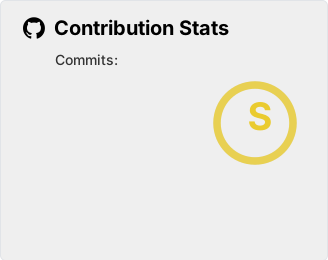](https://github.com/LordDashMe/github-contribution-stats/ )
Sites(网站卡片)
1
2
3
4
{% sitegroup %} {% site 标题, url=链接, screenshot=截图链接, avatar=头像链接(可选), description=描述(可选) %} {% site 标题, url=链接, screenshot=截图链接, avatar=头像链接(可选), description=描述(可选) %} {% endsitegroup %}
支持通过issue自动生成(更多使用说明参见Akilar-数据集合issues 、Stellar数据集合类标签 ):
1 {% issues sites | api=https://api.github.com/repos/xaoxuu/friends/issues?sort=updated&state=open&page=1&per_page=100&labels=active %}
1 2 3 4 5 6 7 {% sitegroup %} {% site xaoxuu, url=https://xaoxuu.com, screenshot=https://i.loli.net/2020/08/21/VuSwWZ1xAeUHEBC.jpg, avatar=https://cdn.statically.io/gh/xaoxuu/cdn-assets/master/avatar/avatar.png, description=简约风格 %} {% site inkss, url=https://inkss.cn, screenshot=https://i.loli.net/2020/08/21/Vzbu3i8fXs6Nh5Y.jpg, avatar=https://cdn.jsdelivr.net/gh/inkss/common@master/static/web/avatar.jpg, description=这是一段关于这个网站的描述文字 %} {% site MHuiG, url=https://blog.mhuig.top, screenshot=https://i.loli.net/2020/08/22/d24zpPlhLYWX6D1.png, avatar=https://cdn.jsdelivr.net/gh/MHuiG/imgbed@master/data/p.png, description=这是一段关于这个网站的描述文字 %} {% site Colsrch, url=https://colsrch.top, screenshot=https://i.loli.net/2020/08/22/dFRWXm52OVu8qfK.png, avatar=https://cdn.jsdelivr.net/gh/Colsrch/images/Colsrch/avatar.jpg, description=这是一段关于这个网站的描述文字 %} {% site Linhk1606, url=https://linhk1606.github.io, screenshot=https://i.loli.net/2020/08/21/3PmGLCKicnfow1x.png, avatar=https://i.loli.net/2020/02/09/PN7I5RJfFtA93r2.png, description=这是一段关于这个网站的描述文字 %} {% endsitegroup %}
Audio(音频)
Your browser does not support the audio tag. 1 {% audio https://cdn.jsdelivr.net/gh/celestezj/ImageHosting/music/meihuaxiawu.mp3 %}
绿色皮肤(可惜不能自适应手机端):
1 2 3 4 5 6 7 8 9 10 11 12 13 14 15 16 <link rel ="stylesheet" type ="text/css" href ="https://cdn.jsdelivr.net/gh/greghub/green-audio-player/dist/css/green-audio-player.min.css" > <script src ="https://cdn.jsdelivr.net/gh/greghub/green-audio-player/dist/js/green-audio-player.min.js" > </script > <div class ="greenaudios" > <audio > <source src ="https://cdn.jsdelivr.net/gh/celestezj/Mirror1ImageHosting/audio/slph.mp3" type ="audio/mpeg" > </audio > </div > <script > GreenAudioPlayer .init ({ selector : '.greenaudios' , stopOthersOnPlay : true , showDownloadButton : true , showTooltips : true }); </script >
也可以采用网易云外链播放器播放歌曲或歌单(此处不展示了,相关代码自行到网易云 获取):
1 2 <iframe frameborder="no" border="0" marginwidth="0" marginheight="0" width=330 height=86 src="//music.163.com/outchain/player?type=2&id=231412&auto=0&height=66"></iframe><br> <iframe frameborder="no" border="0" marginwidth="0" marginheight="0" width=330 height=450 src="//music.163.com/outchain/player?type=0&id=6609974608&auto=0&height=430"></iframe>
一款简易按钮型音乐播放控件:
1 2 3 4 5 6 7 8 9 <div class ="audioplay-object" > <div class ="audioplay-button" > </div > <audio class ="audioplay-player" > <source src ="https://cdn.jsdelivr.net/gh/celestezj/Mirror1ImageHosting/audio/znyyddf.m4a" /> Your browser doesn't support < audio> element. </audio > </div > <script src ="https://cdn.jsdelivr.net/gh/celestezj/Mirror1ImageHosting@v0.2/data/audioplayer/audioplay-2.0.0.min.js" > </script >
语法:
或者:
1 {% soundcloud track-id %}
其中track-id的获取参考stack overflow 回答,一般使用url链接即可,可以将写在_config.yml中的默认播放参数在标签中重设来覆盖,譬如:
1 2 {% soundcloud marielschmitt/lord-of-the-rings-the-shire %} {% soundcloud marielschmitt/lord-of-the-rings-the-shire 166 false ffff00 false false false false false %}
注:该标签不能写在其他标签插件内部,否则无法显示,此处暂不展示
重磅的来了,安装hexo-tag-mplayer 插件,这不就是我一直苦苦寻找的播放器么(我觉得主题自带的Aplayer播放器外观不太符合我的预期),不过这玩意儿也不能嵌在其他标签插件中(原因不明),遂仅展示写法:
1 2 3 4 5 6 7 8 9 10 11 12 13 14 15 16 17 18 19 20 21 22 23 {% mplayer %} playlist: [ { name: '后会无期', artist: '徐良&汪苏泷', poster: 'https://i.loli.net/2021/07/28/bXMQDrJmCyRj4g7.png', src: 'https://link.jscdn.cn/1drv/aHR0cHM6Ly8xZHJ2Lm1zL3UvcyFBbmtTYTEtT3NXUFBseWRfSnBXLVZQcnJGQkw5P2U9Wmh6UWJn.jpg', lyric: 'https://link.jscdn.cn/1drv/aHR0cHM6Ly8xZHJ2Lm1zL3UvcyFBbmtTYTEtT3NXUFBseVpNU3drdGpVRjBGVExVP2U9Q2NrcG5r.jpg', }, { name: '御龙·镜中隐', artist: '汪苏泷', poster: 'https://i.loli.net/2021/07/28/zmyjkFfrn3L1Hv8.jpg', src: 'https://link.jscdn.cn/1drv/aHR0cHM6Ly8xZHJ2Lm1zL3UvcyFBbmtTYTEtT3NXUFBseWdkV2N0Zi1IX0JlUlRpP2U9RHpuRlFi.jpg', lyric: 'https://link.jscdn.cn/1drv/aHR0cHM6Ly8xZHJ2Lm1zL3UvcyFBbmtTYTEtT3NXUFBseW41TnRTVWFOeHpQUWZrP2U9Nk81ZGlu.jpg', }, ], autoplay: false, volume: 0.75, playmode: "listloop", big: true, dark: false {% endmplayer %}
Video(视频)
参数:
对其方向:left, center, right
列数:逗号后面直接写列数,支持 1 ~ 4 列
src参数
注:默认会自动播放,可以在url最后添加&autoplay=0避免;另可以在视频网址链接尾部,添加参数&t=多少秒以从指定的某分某秒处开始播放,譬如要从3分41秒处开始播放视频,就是&t=221
1 {% bilibiliv //player.bilibili.com/player.html?aid=82085295&bvid=BV1AJ411L7Bh&cid=140450702&page=1&autoplay=0 %}
在火狐浏览器中,此处的哔哩哔哩播放器以及下面的围堵小猫都无法正常工作,控制台报错,但是可以将其放到tab的外面,居然又能正常工作!(话说这不是个iframe吗,还会受外面环境的影响?真懵逼)
插入油管视频(主流的视频网站都会提供嵌入代码):
VIDEO 1 <center > <iframe width ="100%" height ="315" src ="https://www.youtube.com/embed/-uzuhqQIaTM" title ="YouTube video player" frameborder ="0" allow ="accelerometer; autoplay; clipboard-write; encrypted-media; gyroscope; picture-in-picture" allowfullscreen > </iframe > </center >
围堵小猫
既然提到了<iframe>标签,这就可以插入任何其他页面,譬如:
1 <iframe src ="https://ganlvtech.github.io/phaser-catch-the-cat/" width ="100%" height ="550px" frameborder ="0" > </iframe >
Folding(折叠框)
1 2 3 {% folding 参数(可选), 标题 %} 内容 {% endfolding %}
参数:
颜色:blue, cyan, green, yellow, red
状态:状态填写 open 代表默认打开
移植自volantis的folding在edge浏览器上不能正常显示,慎用
查看图片测试
查看默认打开的折叠框
查看代码测试
查看列表测试
查看嵌套测试
查看嵌套测试2 查看嵌套测试3 hahaha
1 2 3 4 5 6 7 8 9 10 11 12 13 14 15 16 17 18 19 20 21 22 23 24 25 26 27 28 29 30 31 32 33 34 35 36 {% folding 查看图片测试 %}  {% endfolding %} {% folding cyan open, 查看默认打开的折叠框 %} 这是一个默认打开的折叠框。 {% endfolding %} {% folding green, 查看代码测试 %} 假装这里有代码块(代码块没法嵌套代码块) {% endfolding %} {% folding yellow, 查看列表测试 %} - 迪迦- 盖亚{% endfolding %} {% folding red, 查看嵌套测试 %} {% folding blue, 查看嵌套测试2 %} {% folding 查看嵌套测试3 %} hahaha <span > <img src ='https://cdn.jsdelivr.net/gh/volantis-x/cdn-emoji/tieba/%E6%BB%91%E7%A8%BD.png' style ='height:24px' > </span > {% endfolding %} {% endfolding %} {% endfolding %}
Poem(诗词)
1
2
3
{% poem title,[author] %} 诗词内容 {% endpoem %}
水调歌头
苏轼
丙辰中秋,欢饮达旦,大醉,作此篇,兼怀子由。
转朱阁,低绮户,照无眠。
1 2 3 4 5 6 7 8 9 10 11 12 {% poem 水调歌头,苏轼 %} 丙辰中秋,欢饮达旦,大醉,作此篇,兼怀子由。 明月几时有?把酒问青天。 不知天上宫阙,今夕是何年? 我欲乘风归去,又恐琼楼玉宇,高处不胜寒。 起舞弄清影,何似在人间? 转朱阁,低绮户,照无眠。 不应有恨,何事长向别时圆? 人有悲欢离合,月有阴晴圆缺,此事古难全。 但愿人长久,千里共婵娟。 {% endpoem %}
ipaper(仿纸张)
1 2 3 {% ipaper [title] [author] %} (段落)内容 {% endpoem %}
可以不写title和author,也可以单独写title,也可以同时写title和author
荷塘月色
朱自清
这几天心里颇不宁静。今晚在院子里坐着乘凉,忽然想起日日走过的荷塘,在这满月的光里,总该另有一番样子吧。月亮渐渐地升高了,墙外马路上孩子们的欢笑,已经听不见了;妻在屋里拍着闰儿,迷迷糊糊地哼着眠歌。我悄悄地披了大衫,带上门出去。
沿着荷塘,是一条曲折的小煤屑路。这是一条幽僻的路;白天也少人走,夜晚更加寂寞。荷塘四面,长着许多树,蓊蓊郁郁的。路的一旁,是些杨柳,和一些不知道名字的树。没有月光的晚上,这路上阴森森的,有些怕人。今晚却很好,虽然月光也还是淡淡的。
路上只我一个人,背着手踱着。这一片天地好像是我的;我也像超出了平常的自己,到了另一个世界里。我爱热闹,也爱冷静;爱群居,也爱独处。像今晚上,一个人在这苍茫的月下,什么都可以想,什么都可以不想,便觉是个自由的人。白天里一定要做的事,一定要说的话,现在都可不理。这是独处的妙处,我且受用这无边的荷香月色好了。
…
1 2 3 4 5 6 7 8 9 {% ipaper 荷塘月色 朱自清 %} 这几天心里颇不宁静。今晚在院子里坐着乘凉,忽然想起日日走过的荷塘,在这满月的光里,总该另有一番样子吧。月亮渐渐地升高了,墙外马路上孩子们的欢笑,已经听不见了;妻在屋里拍着闰儿,迷迷糊糊地哼着眠歌。我悄悄地披了大衫,带上门出去。 沿着荷塘,是一条曲折的小煤屑路。这是一条幽僻的路;白天也少人走,夜晚更加寂寞。荷塘四面,长着许多树,蓊蓊郁郁的。路的一旁,是些杨柳,和一些不知道名字的树。没有月光的晚上,这路上阴森森的,有些怕人。今晚却很好,虽然月光也还是淡淡的。 路上只我一个人,背着手踱着。这一片天地好像是我的;我也像超出了平常的自己,到了另一个世界里。我爱热闹,也爱冷静;爱群居,也爱独处。像今晚上,一个人在这苍茫的月下,什么都可以想,什么都可以不想,便觉是个自由的人。白天里一定要做的事,一定要说的话,现在都可不理。这是独处的妙处,我且受用这无边的荷香月色好了。 ... {% endipaper %}
Alicon(阿里图标)
1 {% icon [icon-xxxx],[font-size] %}
icon-xxxx: 表示图标 font-class, 可以在自己的阿里矢量图标库项目的 font-class 引用方案内查询并复制,具体参照Akilar 教程(外挂标签方案,现在只需要在主题配置文件的inject项中添加从阿里矢量库获取的Symbol.js链接即可)font-size: 表示图标大小,直接填写数字即可,单位为 em。图标大小默认值为 1em
1 2 3 4 5 | {% icon icon-rat_zi %}{% icon icon-rat,2 %} | {% icon icon-ox_ chou,3 %}{% icon icon-ox,4 %} | {% icon icon-tiger_yin,5 %}{% icon icon-tiger,6 %} | | :-: | :-: | :-: | | {% icon icon-rabbit_ mao,1 %}{% icon icon-rabbit,2 %} | {% icon icon-dragon_chen,3 %}{% icon icon-dragon,4 %} | {% icon icon-snake_ si,5 %}{% icon icon-snake,6 %} || {% icon icon-horse_wu %}{% icon icon-horse,2 %} | {% icon icon-goat_ wei,3 %}{% icon icon-goat,4 %} | {% icon icon-monkey_shen,5 %}{% icon icon-monkey,6 %} | | {% icon icon-rooster_ you %}{% icon icon-rooster,2 %} | {% icon icon-dog_xu,3 %}{% icon icon-dog,4 %} | {% icon icon-boar_ hai,5 %}{% icon icon-boar,6 %} |
Progress(进度条)
1 {% progress [width] [color] [text] %}
width: 0 到 100 的阿拉伯数字color: 颜色,取值有 red,yellow,green,cyan,blue,graytext: 进度条上的文字内容
1 2 3 4 {% progress2 40, blue, 300 %} //{% progress2 rate, color, [width] %} 参数含义:进度值、颜色、进度条宽度(可省) {% progress2 60, orange, 300 %} {% progress2 50, red, 300 %} {% progress2 70, green %}
1 2 3 4 5 6 {% progress 10 red 进度条样式预览 %} {% progress 30 yellow 进度条样式预览 %} {% progress 50 green 进度条样式预览 %} {% progress 70 cyan 进度条样式预览 %} {% progress 90 blue 进度条样式预览 %} {% progress 100 gray 进度条样式预览 %}
如果要控制宽度,套一个div即可:
1 <div style ="width:300px" > {% progress 50 green 进度条样式预览 %} </div >
Notation(顶部注释)
label: 注释词汇text: 悬停显示的注解内容
把鼠标移动到我上面试试
1 {% nota 把鼠标移动到我上面试试 ,可以看到注解内容出现在顶栏 %}
MsgBox(对话框)
1 2 3 4 5 6 7 8 {% msgbox title %} {% msgguest name,avatar %} 对话内容 {% endmsgguest %} {% msgadmin name,avatar %} 对话内容 {% endmsgadmin %} {% endmsgbox %}
title: 聊天窗标题name: 对话框姓名,访客默认为“无名”,博主默认读取hexo站点配置文件中的author作为博主名称avatar: 对话框头像,访客默认读取主题配置文件中的error_img.flink作为图片链接,博主默认读取主题配置文件中的avatar.img作为图片链接
1 2 3 4 5 6 7 8 9 10 11 12 13 14 15 16 17 18 19 20 21 22 23 24 25 26 27 28 29 30 31 32 {% msgbox "南♂信van♂工46" %} {% msgguest "蒋礼诚","https://gcore.jsdelivr.net/gh/zykjofficial/zykjofficial.github.io@master/img/avatar.png" %} markdown还有比typora更好用的吗? {% endmsgguest %} {% msgadmin %} vscode党加一 {% endmsgadmin %} {% msgguest "周文浩", "https://www.fomal.cc/assets/head.jpg" %} markdown我用typora {% endmsgguest %} {% msgguest "姜汁斐","https://npm.elemecdn.com/akilar-friends@latest/avatar/www.itciraos.cn.jpg" %} 我顶Atom {% endmsgguest %} {% msgguest "周志峰" %} 我用石墨 {% endmsgguest %} {% msgguest %}  {% endmsgguest %} {% msgadmin %} 我就知道会有这个 {% endmsgadmin %} {% msgguest "周子然","https://npm.elemecdn.com/akilar-friends@latest/avatar/weikecc.top.jpg" %} ? {% endmsgguest %} {% msgguest "葛星海","https://npm.elemecdn.com/akilar-friends@latest/avatar/www.itciraos.cn.jpg" %} 大佬,就是不一样 {% endmsgguest %} {% msgguest "刘瀚","https://gcore.jsdelivr.net/gh/zykjofficial/zykjofficial.github.io@master/img/avatar.png" %} 大佬,就是不一样 {% endmsgguest %} {% endmsgbox %}
Reference(引用文献)
1 2 {% referto [id] , [literature] %} {% referfrom [id] , [literature] , [url] %}
Akilarの糖果屋(akilar.top)是一个私人性质的博客[1] Akilarの糖果屋群聊简介 参考资料 [2] Hexo中文文档 参考资料 [3] Butterfly 安装文档(一) 快速开始 参考资料
本项目参考了Volantis[4] hexo-theme-volantis 标签插件 参考资料 [tag].js,并针对butterfly主题修改了相应的[tag].styl。在此鸣谢Volantis主题众开发者。[5] Volantis文档:内置标签插件 参考资料 [6] Butterfly 安装文档:标签外挂(Tag Plugins 参考资料 [7] 小弋の生活馆全样式预览 参考资料 [8] l-lin-font-awesome-animation 参考资料 [9] 小康的butterfly主题使用文档 参考资料
1 2 3 4 5 6 7 8 9 10 11 12 13 14 15 16 17 Akilarの糖果屋(akilar.top)是一个私人性质的博客{% referto '[1]','Akilarの糖果屋群聊简介' %},从各类教程至生活点滴,无话不谈。建群的目的是提供一个闲聊的场所。博客采用Hexo框架{% referto '[2]','Hexo中文文档' %},Butterfly主题{% referto '[3]','Butterfly 安装文档(一) 快速开始' %} 本项目参考了Volantis{% referto '[4]','hexo-theme-volantis 标签插件' %}的标签样式。引入`[tag].js` ,并针对`butterfly` 主题修改了相应的`[tag].styl` 。在此鸣谢`Volantis` 主题众开发者。 主要参考内容包括各个volantis的内置标签插件文档{% referto '[5]','Volantis文档:内置标签插件' %} Butterfly主题的各个衍生魔改{% referto '[6]','Butterfly 安装文档:标签外挂(Tag Plugins' %}{% referto '[7]','小弋の生活馆全样式预览' %}{% referto '[8]','l-lin-font-awesome-animation' %}{% referto '[9]','小康的butterfly主题使用文档' %} {% referfrom '[1]','Akilarの糖果屋群聊简介','https://jq.qq.com/?_wv=1027&k=pGLB2C0N' %} {% referfrom '[2]','Hexo中文文档','https://hexo.io/zh-cn/docs/' %} {% referfrom '[3]','Butterfly 安装文档(一) 快速开始','https://butterfly.js.org/posts/21cfbf15/' %} {% referfrom '[4]','hexo-theme-volantis 标签插件','https://volantis.js.org/v5/tag-plugins/' %} {% referfrom '[5]','Volantis文档:内置标签插件','https://volantis.js.org/tag-plugins/' %} {% referfrom '[6]','Butterfly 安装文档:标签外挂(Tag Plugins','https://butterfly.js.org/posts/4aa8abbe/#%E6%A8%99%E7%B1%A4%E5%A4%96%E6%8E%9B%EF%BC%88Tag-Plugins%EF%BC%89' %} {% referfrom '[7]','小弋の生活馆全样式预览','https://lovelijunyi.gitee.io/posts/c898.html' %} {% referfrom '[8]','l-lin-font-awesome-animation','https://github.com/l-lin/font-awesome-animation' %} {% referfrom '[9]','小康的butterfly主题使用文档','https://www.antmoe.com/posts/3b43914f/' %}
Bubble(气泡注释)
1 {% bubble [content] , [notation] ,[background-color] %}
最近我学到了不少新玩意儿(虽然对很多大佬来说这些已经是旧技术了),比如CSS的兄弟相邻选择器 例如 h1 + p {margin-top:50px;} flex布局 Flex 是 Flexible Box 的缩写,意为弹性布局",用来为盒状模型提供最大的灵活性" transform变换 transform 属性向元素应用 2D 或 3D 转换。该属性允许我们对元素进行旋转、缩放、移动或倾斜。 贝塞尔速度曲线 贝塞尔曲线(Bézier curve),又称贝兹曲线或贝济埃曲线,是应用于二维图形应用程序的数学曲线。一般的矢量图形软件通过它来精确画出曲线,贝兹曲线由线段与节点组成,节点是可拖动的支点,线段像可伸缩的皮筋 clip-path clip-path属性使用裁剪方式创建元素的可显示区域。区域内的部分显示,区域外的隐藏。
1 最近我学到了不少新玩意儿(虽然对很多大佬来说这些已经是旧技术了),比如CSS的{% bubble 兄弟相邻选择器,"例如 h1 + p {margin-top:50px;}" %},{% bubble flex布局,"Flex 是 Flexible Box 的缩写,意为"弹性布局",用来为盒状模型提供最大的灵活性","#ec5830" %},{% bubble transform变换,"transform 属性向元素应用 2D 或 3D 转换。该属性允许我们对元素进行旋转、缩放、移动或倾斜。","#1db675" %},animation的{% bubble 贝塞尔速度曲线,"贝塞尔曲线(Bézier curve),又称贝兹曲线或贝济埃曲线,是应用于二维图形应用程序的数学曲线。一般的矢量图形软件通过它来精确画出曲线,贝兹曲线由线段与节点组成,节点是可拖动的支点,线段像可伸缩的皮筋","#de4489" %}写法,还有今天刚看到的{% bubble clip-path,"clip-path属性使用裁剪方式创建元素的可显示区域。区域内的部分显示,区域外的隐藏。","#868fd7" %}属性。这些对我来说很新颖的概念狠狠的冲击着我以前积累起来的设计思路。










 一段话。
一段话。 一段话。
一段话。 ,不读书,何以立。
 ,事实上,除了在tab中,还包括folding等,很多标签插件都无法写入列表项(查看原作者博客,似乎没有该问题😓,花了一晚上也没找出原因,真的快疯了),我能想到的解决办法是,直接写HTML标签~






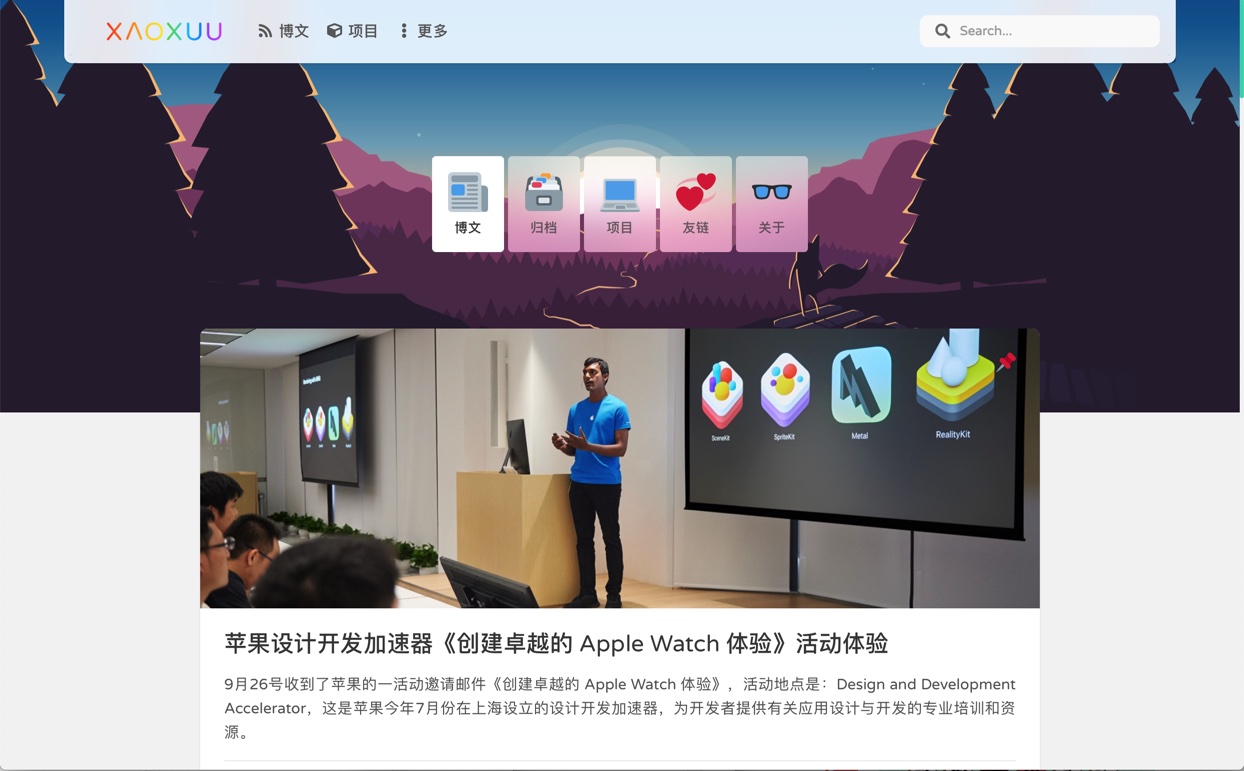
 xaoxuu简约风格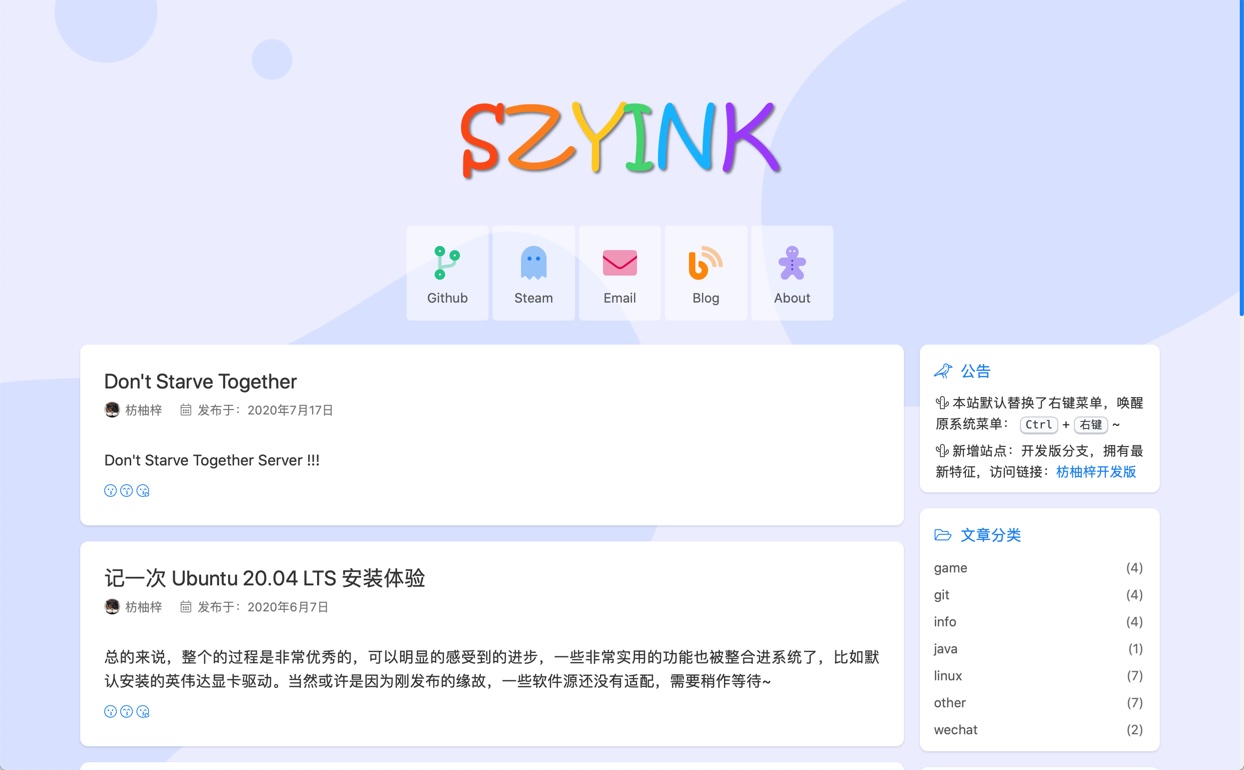
 inkss这是一段关于这个网站的描述文字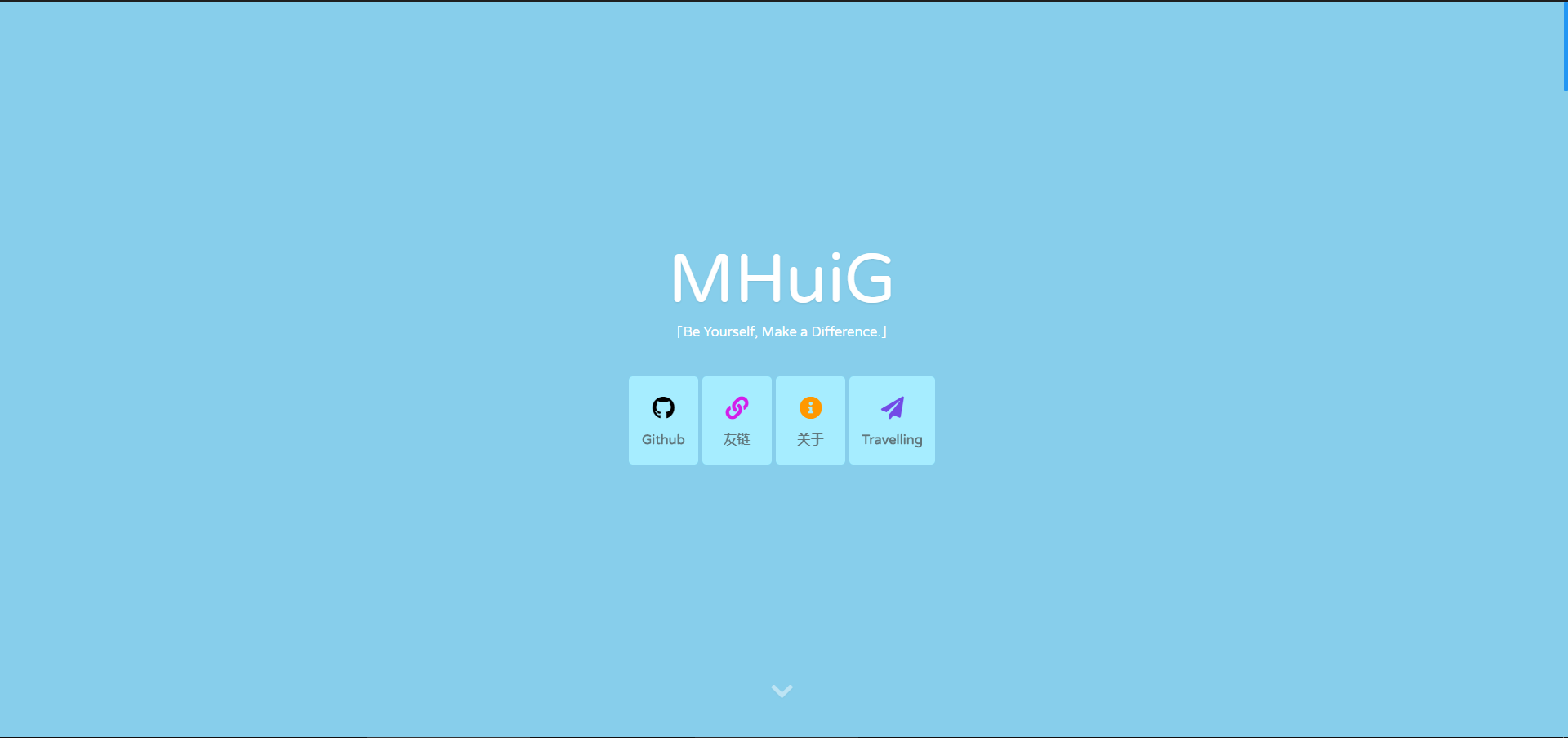
 Colsrch这是一段关于这个网站的描述文字
 Linhk1606这是一段关于这个网站的描述文字